Orders
The order is the case-level record in iFlow. It groups one or more samples, selects a test mode, runs through a labflow, and owns the signed report that is produced at the end.
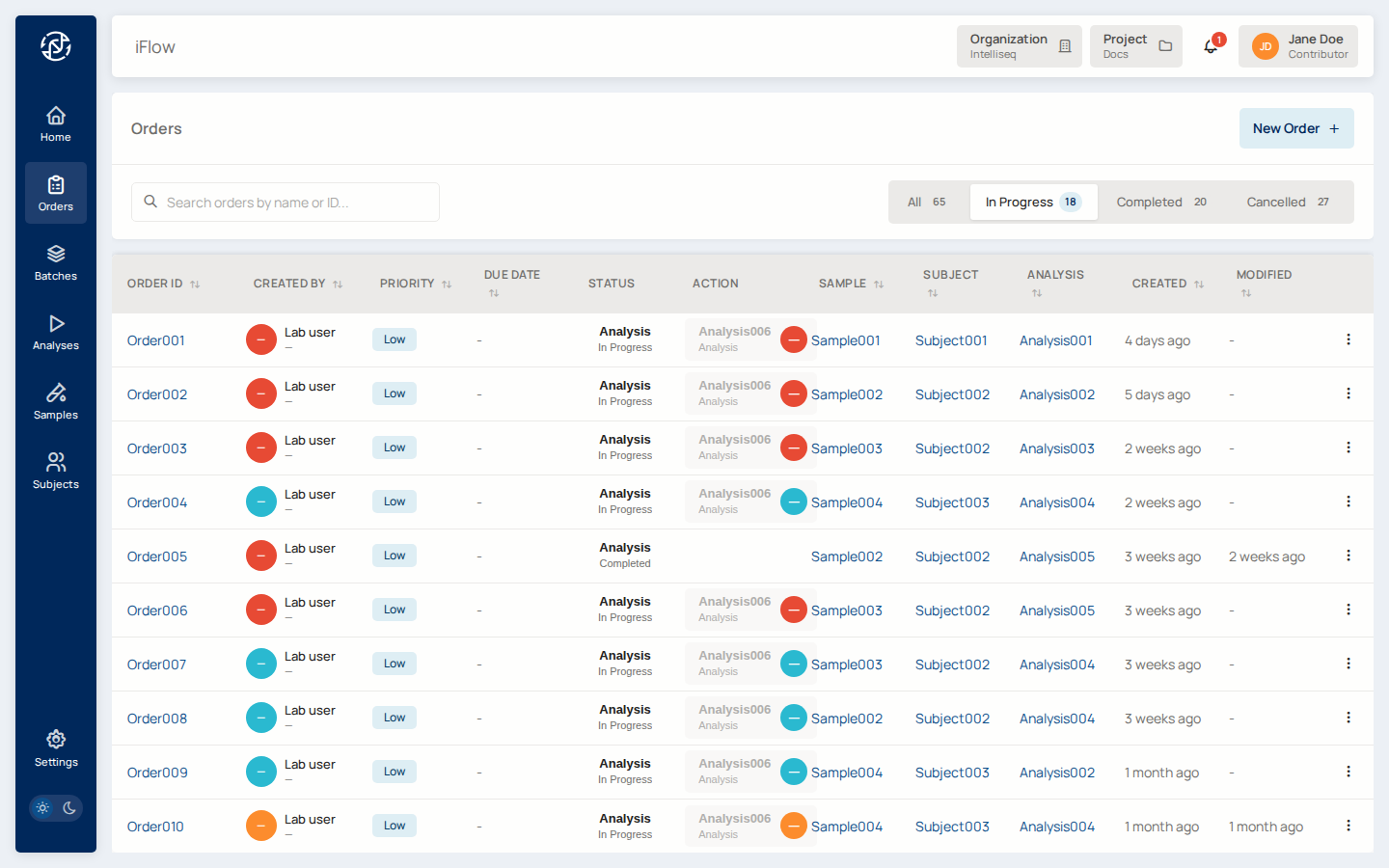
Data model
| Field | Type | Purpose |
|---|---|---|
id |
UUID | Internal primary key (never shown in UI) |
display_id |
string | Human-readable identifier; unique per project |
status |
enum | See state machine below |
mode |
hereditary | somatic |
Test mode; drives which report template applies |
priority |
low | medium | high |
Triage signal for the lab |
clinical_indication |
text | Free-text or structured clinical context |
ordering_provider, ordering_facility |
text | Who ordered the test, from where |
tags |
string[] | Freeform tags used for filtering |
properties |
JSON | Flexible metadata |
created_at, updated_at |
timestamp | Standard audit fields |
Samples are linked via a many-to-many join table that also records each
sample's role on the order (proband, mother, father, tumour,
normal, etc.). The same sample can appear on multiple orders with
different roles.
State machine
stateDiagram-v2
    [*] --> created
    created --> analyzing: transition
    created --> cancelled: cancel
    analyzing --> review: transition
    analyzing --> sign_off: transition (skip review)
    analyzing --> cancelled: cancel
    review --> sign_off: transition
    review --> cancelled: cancel
    sign_off --> completed: approve_and_sign
    completed --> [*]
    cancelled --> [*]
The OrderStatus enum values, as stored in the database:
created— initial state after the order is created.analyzing— pipeline(s) running; VCF being ingested.review— variant curation and report drafting.sign_off— awaiting approval and signature.completed— terminal; signed report issued.cancelled— terminal; order abandoned.
Three legacy compat aliases also exist for records written by older
versions: reviewed, signed_off, and amended. They map onto the modern
values above and are read-only — new code always writes the modern values.
Display identifiers and slugs
- The UUID
idis the primary key but is never shown in the UI. - The
display_idis what users see (for exampleORD-2026-0042). It is unique per project. - The slug, used in file paths (
orders/{slug}/), is the lowercase kebab-case version ofdisplay_idproduced by the SQL computed columnTRIM(BOTH '-' FROM REGEXP_REPLACE(LOWER(display_id), '[^a-z0-9]+', '-', 'g')).
Orders cannot be renamed after files are written
Because the slug appears in bucket paths, an order cannot be renamed after files have been written to its path. The slug is effectively frozen at the moment the signed PDF or any other file lands.
Transitions and RBAC
Transitions are enforced by an explicit allow-list. Any other move — for
example completed → review — is rejected. Who can perform each
transition depends on role and assignment:
created → analyzing,analyzing → review,review → sign_off—project_editoror higher, must be assigned to the current stage (or holdorders:write_any).sign_off → completed— happens implicitly as part of the atomic Approve-and-Sign flow; onlyproject_adminor higher can invoke it.- Any stage
→ cancelled—project_adminor higher.
Who can transition?
Every transition requires both a sufficient role and assignment to
the current stage (or orders:write_any). See the full matrix at
RBAC Matrix.
See RBAC Matrix for the full table and Labflows for the underlying stage state machine.
UI
- Orders list —
/orders. Data-table view with filters for status, priority, assigned user, and tags. - Order detail —
/orders/{order_id}. Shows the order's samples, labflow state, report tab, and audit trail. - Create order —
/orders/newor from the Create Order button on a completed Analysis detail page. - Browse variants — jumps into the VCF browser for this order.
Report auto-populate
When a draft report is created for an order, miner pre-populates it with the reportable variants from the order's VCF. A variant is admitted when:
- Tier is in
REPORTABLE_TIERS(Tier IA, IB, IIC, IID). Tier III/IV are reportable but require manual curation and are skipped. - FLT3-ITD (detected via the annotator's
ALIAS_IDfield): admitted whenISEQ_REPORT_VAF > flt3_itd_vaf_threshold(default0.005/ 0.5%). - Fusion (
ISEQ_REPORT_VARIANT_CATEGORY == "Fusion"): admitted whenISEQ_REPORT_READ_COUNT > read_count_threshold(default150). VCFs withoutISEQ_REPORT_READ_COUNTfall back to a tier-only admit. - Everything else: admitted when
ISEQ_REPORT_VAF > vaf_threshold(default0.01/ 1%).
Per-sample overrides live in VCF SAMPLE_METADATA → SAMPLE_INFO_JSON
under the keys vaf_threshold, flt3_itd_vaf_threshold, and
read_count_threshold. Missing or unparseable values fall back to the
defaults above on a per-key basis.
API
Base URL: https://miner.<env-domain>/api/v1/orders.
| Method | Path | Purpose |
|---|---|---|
GET |
/ |
List orders, filter by status/priority/assignee |
POST |
/ |
Create an order |
GET |
/{order_id} |
Fetch order detail |
PATCH |
/{order_id} |
Update fields |
POST |
/{order_id}/transition |
Transition status (body: {"to": "review"}) |
POST |
/{order_id}/samples/{sample_id} |
Add sample (body: {"role": "proband"}) |
DELETE |
/{order_id}/samples/{sample_id} |
Remove sample |
The full list is in the API Reference.
CLI
See CLI → Order Management for the full command reference.
Related reading
- Intake workflow — how orders are created.
- Labflows — the stage state machine that orders travel through.
- Samples, Subjects, Analyses — the entities that compose an order.
- Report service — the report that an order's sign-off produces.