Bulk Download
To download outputs from many analyses at once, use the bundle flow on the Analyses list page.
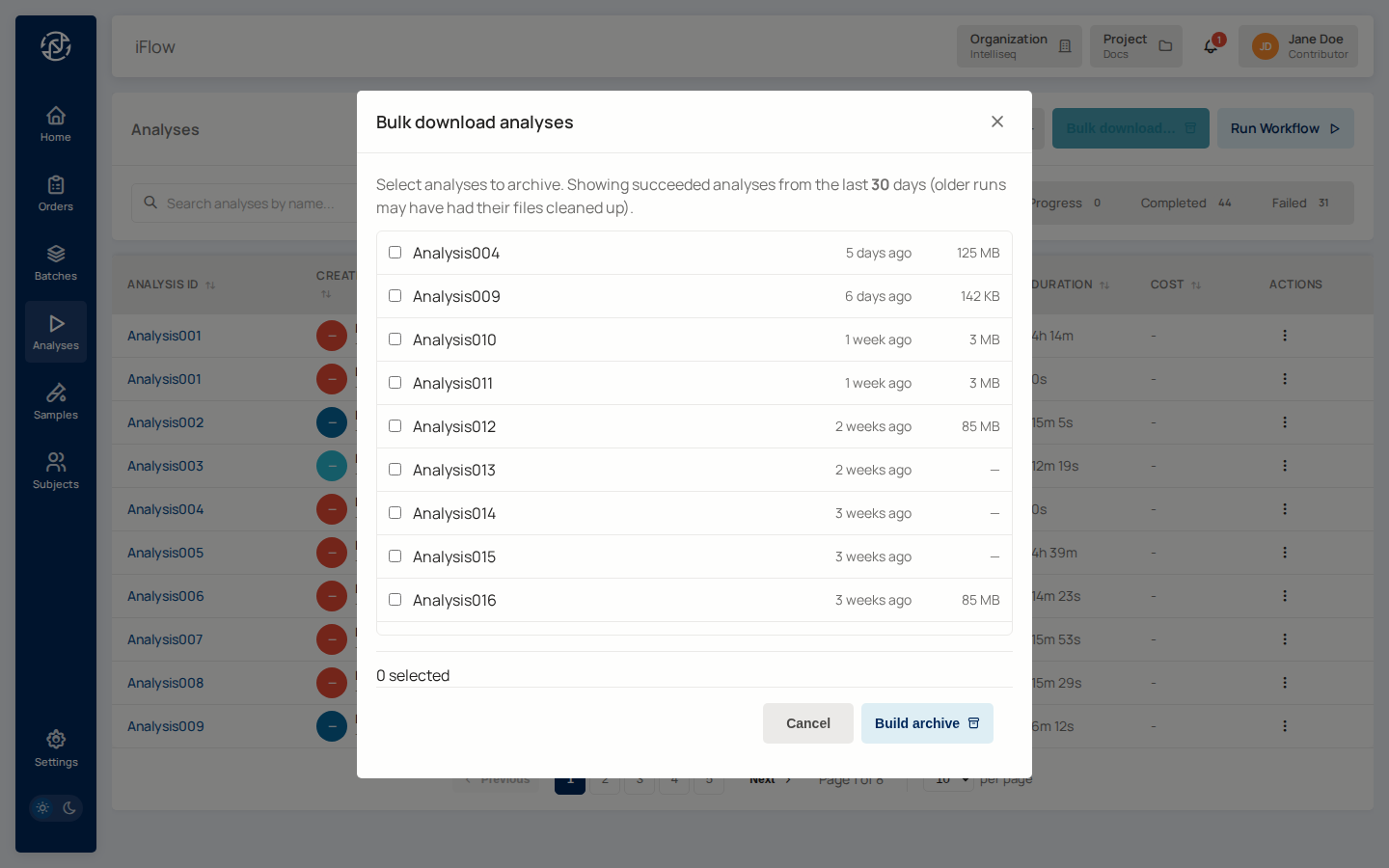
How it works
- Open Analyses in the Miner service.
- Select the analyses whose outputs you want to download — use the row checkboxes or filter the list first (by status, pipeline, date) and use the "select all matching" shortcut.
- Click Bulk download in the toolbar. The Bulk download analyses modal opens.
- The modal lists the eligible analyses with the size of each result set. Confirm the selection and click Build bundle.
- iFlow packages the result files into a single archive in the background. A toast appears confirming the build started.
- When the bundle is ready, the Bundle column on the Analyses list shows a download link. Click it to fetch the archive.
Why a build step
Bundles for many analyses can be several GB. iFlow assembles the archive server-side and serves it via a time-limited signed URL — the link is what you'll see in the toast and on the row.
What ends up in the bundle
- All non-PDF result files from each selected analysis (VCF, BAM, FASTQ, intermediate outputs).
- Report PDFs are excluded from bundles — fetch those individually from the order's Sign Off page.
Permissions
Standard project roles can build and download bundles. The demo_viewer role cannot — bundles aggregate the same files demo viewers are restricted from downloading individually.
See also
- Results (view / download / sign) — single-analysis download.
- Project Storage & File Paths — where the bundled files live in the bucket.