Profile & Preferences
Settings tied to your individual user — display name, date format, theme, time zone. These apply across iFlow no matter which organisation or project you are working in.
Where to find them
Open the topbar avatar (top-right) → Account → Preferences. Equivalent URL: /account/preferences.
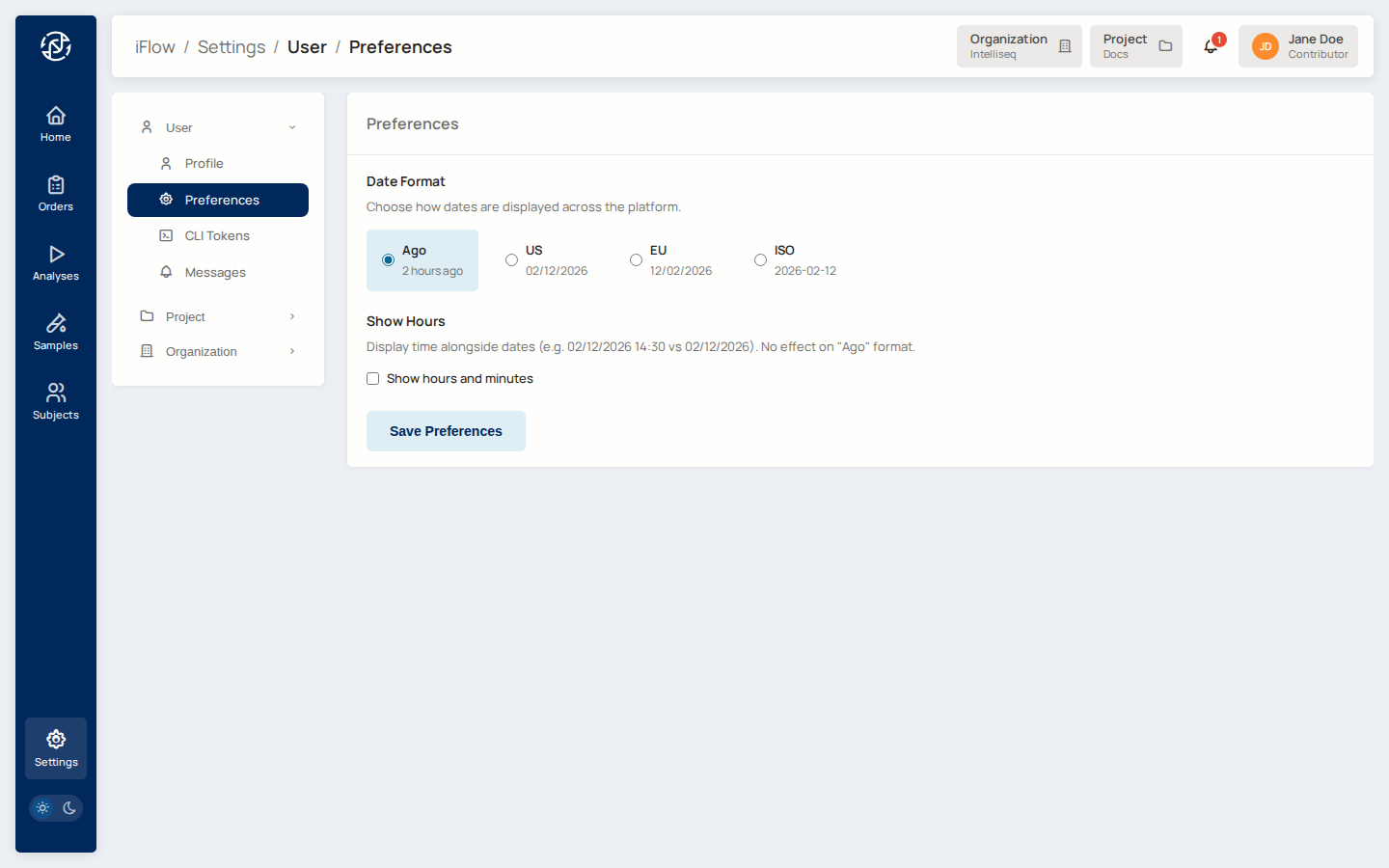
What you can set
Display name — appears in the topbar, in audit logs, on comments, and in your avatar (the initials are derived from this; "Jane Doe" → "JD").
Time zone — used to render every timestamp in the UI. Defaults to your browser's time zone.
Date format — controls how dates display across the platform:
| Format | Example (for 10 February 2026) |
|---|---|
ago |
"2 hours ago" |
us |
02/10/2026 |
eu |
10/02/2026 |
iso |
2026-02-10 |
Show hours — when enabled, absolute date formats include the time of day (no effect on the relative ago format).
Theme — light or dark. The toggle in the topbar is a shortcut to the same setting.
Where the preferences live
Preferences are stored on your user record server-side, cached in your session, and also written to a flow_prefs cookie so the UI can render correctly on the very first paint before the session is fetched. Changing them in one browser propagates to your other browsers on next page load.
See also
- Account — section overview.
- Messages — which events notify you, via inbox and/or email.
- Create Account & 2FA — first-time setup.